Home › Blog › What Food Is This?
What Food Is This? Identify Any Food from a Photo — Free
Ever stared at a dish and thought: what food is this? Whether you're at a restaurant, traveling abroad, visiting a friend's home, or rummaging through your fridge — sometimes a food is completely unfamiliar. The old approach was to Google a description and scroll through images hoping something matched. There's a better way now.
FoodIdentifier's AI-powered food identifier from image lets you photograph any food and get an instant identification — along with its full nutritional profile — in seconds. No app download, no account, no guesswork. Just a photo and an answer.
Point your camera at any food and find out what it is: the AI at foodidentifier.com identifies the dish from a photo and shows calories, macros and ingredients in about 3 seconds — free, no app, no sign-up.
Data note: Nutrition values are estimates. Reference data may include USDA FoodData Central. Results vary by photo quality and food type.
- Quick Answer
- How to Identify Food from a Photo
- Why Photos Work Better Than Text Searches
- Step-by-Step: Identify Food in 5 Seconds
- Photo Tips That Improve Accuracy
- Identify Mixed Meals and Restaurant Plates
- Can It Read Packaged Food Labels?
- Common Mistakes People Make
- FoodIdentifier vs Google Lens vs Apps
- Privacy: No Sign Up + Data Stays on Device
- Foods We Identify by Cuisine
- Accuracy Data by Category
- FAQ
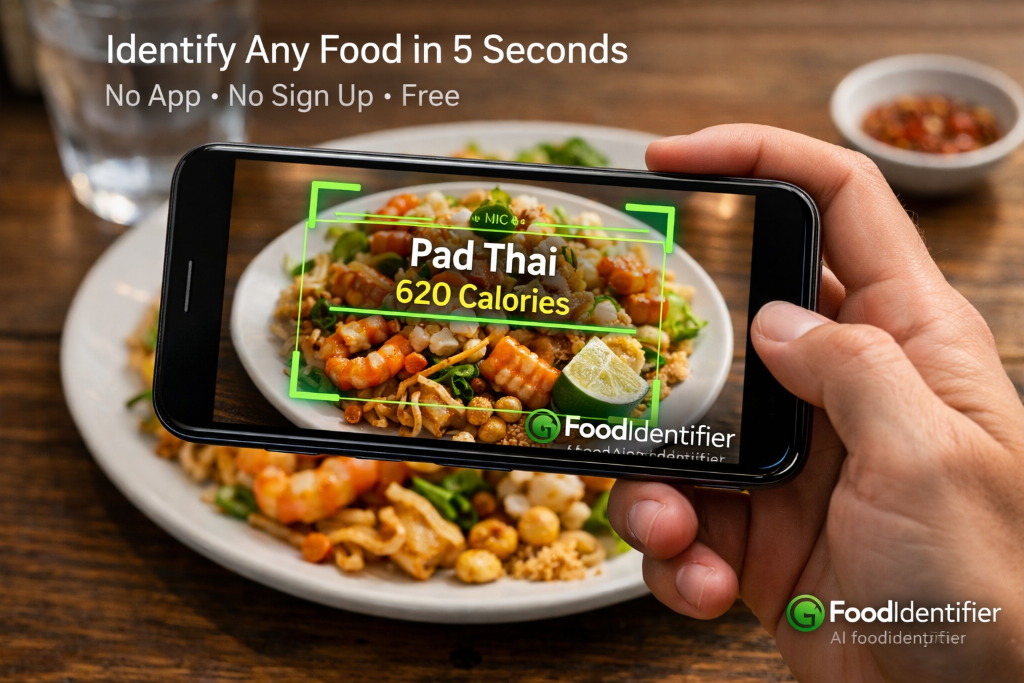
- Upload any food photo to FoodIdentifier and the AI tells you exactly what food it is in seconds.
- Works on any dish: restaurant meals, homemade food, ethnic cuisine, packaged snacks, mystery leftovers.
- Returns the food name, cuisine type, estimated calories, protein, carbs, and fat — all from one photo.
- No sign up, no app download, no account required. 100% free in your browser.
- Also works as a food identifier from image and a calorie calculator by photo.
How to Identify Food from a Photo — The AI Approach
Traditional food identification meant typing descriptions into search engines and hoping the results matched your mystery dish. "Brown sauce over white rice with green bits" returns thousands of irrelevant results. The human brain processes visuals far faster than language — and now AI does too.
FoodIdentifier's food recognition online system uses computer vision trained on millions of food images. When you upload a photo, the AI processes the visual patterns — colors, textures, shapes, ingredient arrangements — and cross-references them against a large food and cuisine database. The result is a specific food identification, not a vague category.
It identifies not just single ingredients but complete dishes: a plate of pad thai is identified as pad thai (with rice noodles, shrimp, bean sprouts, and scallions noted), not just "noodles." This specificity is what makes it genuinely useful for travelers, allergy checkers, and calorie trackers.
What the AI identifies in each scan
- ✅ Food name and common alternative names
- ✅ Cuisine type and region of origin
- ✅ Main ingredients visible in the dish
- ✅ Estimated calories per serving
- ✅ Full macro breakdown (protein, carbs, fat, fiber)
- ✅ Preparation method if identifiable (grilled, fried, steamed)
- ✅ Common allergens based on identified ingredients
Why Photos Work Better Than Text Searches for Food ID
If you have a plate of unfamiliar food in front of you and type "what food is this picture" into a search engine, you'll get listicles and recipe sites — not an answer about your specific plate. Text searches require you to already know how to describe the food, which is exactly the problem you're trying to solve.
Visual food identification bypasses this entirely. The AI sees what you see. A photo captures the color, texture, layering, garnish, and plating style that together identify a dish far more precisely than any text description can. The same technology used in museum exhibit recognition and plant identification apps is now applied to food — with nutritional context added on top.
This is particularly valuable for travelers encountering unfamiliar cuisines, people with dietary restrictions who need to know exactly what's in a dish, parents checking what their child is eating, and anyone trying to estimate calories without knowing the dish name. The AI Nutrition Coach takes this further by giving personalized advice once the food is identified.
Try the Free Food Identifier Now
Upload any photo and find out what food it is — plus full nutrition facts. No account needed.
📷 Identify Food Now🔎 How Image ID WorksWhat you learn from one photo
One photo gives you everything you need to decide whether to eat it and how it fits your day:
- Dish name — the identified food and cuisine type.
- Calories — estimated per serving based on portion size.
- Protein / carbs / fat — full macro breakdown in grams.
- Fiber and sugar — for blood-sugar and gut-health awareness.
- Spike score (1–100) — the predicted blood-sugar impact of the meal.
For the full calorie-counting workflow, see the photo calorie counter guide.
When to use it
- Mystery leftovers — a container in the fridge and no memory of what is inside.
- Restaurant dishes — a plate arrives and you want to know what it is before eating. For full menu decoding, use the restaurant decoder.
- New cuisines — traveling and encountering food you have never seen before.
- Grocery finds — an unfamiliar packaged product; scan the barcode with the barcode scanner for exact label data.
Step-by-Step: Identify Any Food in 5 Seconds
The process is intentionally simple. Here is exactly what happens from the moment you open FoodIdentifier to the moment you have your food identified and its nutrition displayed:
- 1Open FoodIdentifier in any browser
Go to foodidentifier.com/scan — no download, no sign-up, works on any device. - 2Choose your input method
Take a live photo with your camera, upload from your gallery, or type the food name if you partially know it. - 3Tap Analyze
Hit the green button. The AI processes your image in 3–5 seconds using computer vision. - 4See the food name instantly
The identified food appears at the top of the results, along with cuisine type and preparation notes. - 5Review the full nutrition label
Calories, protein, carbs, fat, fiber, and key vitamins are displayed in a clear nutrition card. - 6Adjust the portion if needed
Use the portion slider to scale results up or down to match your actual serving size. - 7Save or share your result
Screenshot the result card or copy it to your notes app, diet journal, or share with someone.
Best Results: Photo Tips That Improve Accuracy
The quality of the photo you take directly affects how accurate the food identification is. The AI works from the visual information in your image — better photos provide better data. These tips apply whether you are photographing a single ingredient or a complex restaurant plate.
Identify Mixed Meals and Restaurant Plates
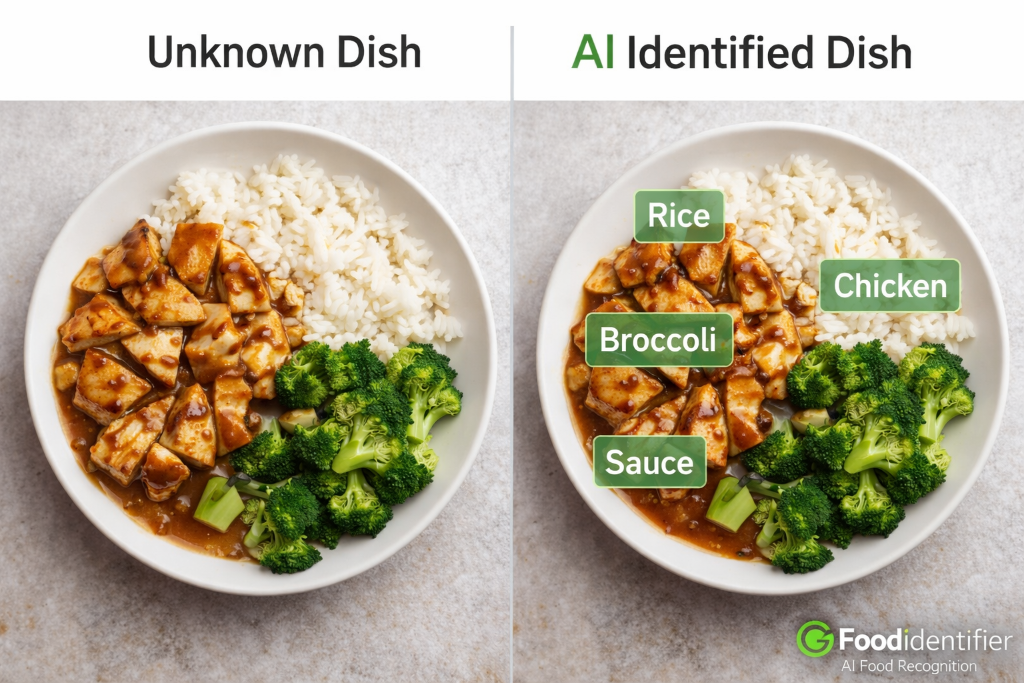
Mixed plates — a burger with fries, a sushi platter, a Thai curry over rice — are the hardest type of meal to identify and track nutritionally. Most food databases require you to log each component separately. FoodIdentifier's what is this food AI analyzes the full plate and identifies all visible components simultaneously.
For restaurant meals specifically, the tool excels because restaurant dishes often have consistent visual presentations. A Caesar salad from any major restaurant looks remarkably similar — the AI can identify it and estimate its nutritional content even without knowing which restaurant prepared it. For calorie estimates on restaurant food, use the food calorie calculator by photo after identification.
Ethnic cuisines from around the world are also supported. Whether your mystery dish is Vietnamese pho, Ethiopian injera, Georgian khachapuri, or Peruvian ceviche — the AI's training data covers international foods and can often identify less common regional dishes. The homemade food calorie guide covers similar tips for cooking at home.
Can It Read Packaged Food Labels?
Yes — and this is one of the most practically useful features. When you encounter a packaged food item with a label you cannot read (foreign language, small print, faded text) or want to quickly extract the nutrition facts without manually copying numbers, photograph the nutrition label and let the AI read it for you.
The nutrition label scanner extracts all values from standard Nutrition Facts panels: calories, serving size, total fat, saturated fat, trans fat, cholesterol, sodium, total carbohydrates, dietary fiber, total sugars, added sugars, protein, and key vitamins. It handles both US-format (Nutrition Facts) and European-format (per 100g) labels.
For barcoded packaged foods, use the barcode scanner for the most accurate results — it retrieves nutrition data directly from the product's database record rather than estimating from a photo of the label.
Common Mistakes People Make When Identifying Food by Photo
Even with a good AI tool, how you use it matters. Here are the most common reasons food identification results are less accurate — and how to fix them quickly.
- ❌ Photographing from the side: Side-angle shots obscure the plate and make it harder to distinguish individual foods. Always shoot from above.
- ❌ Taking the photo in dim lighting: Low light turns food gray and removes the color cues the AI relies on. Move to a window or turn on more lights.
- ❌ Not including all food on the plate: If the frame cuts off part of the meal, the AI misses components and gives incomplete results.
- ❌ Using blurry photos: Motion blur removes texture details. Tap to focus before shooting and hold steady.
- ❌ Not mentioning the dish name for known foods: If you know it is pasta carbonara but want calorie data, type that in the text field alongside the photo. The AI combines visual and text data for better results.
- ❌ Expecting exact weight measurements from photos: AI estimates portion size but cannot weigh food. For precision tracking, pair photo results with the macro calculator using known weights.
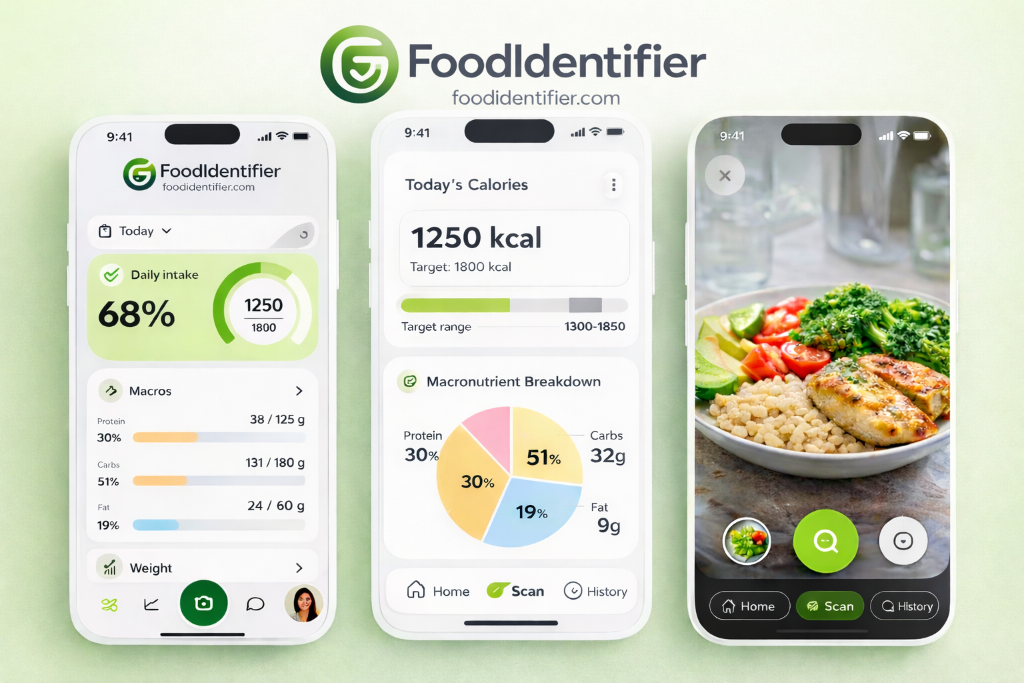
FoodIdentifier vs Google Lens vs Other Apps
Several tools claim to identify food from photos, but they differ significantly in what they actually return. Understanding these differences helps you pick the right tool for your specific need.
The key differentiator: FoodIdentifier is the only tool that identifies food from a photo AND provides full nutritional data AND requires no account AND works in a browser. For users who need a Yuka alternative that handles more than barcodes, or a simpler alternative to MyFitnessPal, FoodIdentifier fills that gap.
Privacy: No Sign Up, No Account, Data Stays on Your Device
Privacy is a growing concern with nutrition apps that collect your health data, eating habits, and weight goals. FoodIdentifier was built with a different model: there is no mandatory account creation, which means no profile of your eating habits is built without your consent.
You can use the free food scanner online without providing an email address, creating a password, or agreeing to personalized data collection. Your scan results appear in the browser session and are not stored to a profile. For users who want to save history, a free account option exists — but it is never forced.
This makes FoodIdentifier one of the few genuinely privacy-respecting free food identifier tools available. Want to test your food knowledge alongside the scanner? Try the Calorie Guess Game to sharpen your intuition for calorie estimation.
Identify Any Food Free — No Account Needed
Upload a photo now. Get the food name + full nutrition facts in seconds.
📷 Identify Food Now🔢 AI Calorie Calculator
Foods We Identify by World Cuisine
The what food is this AI is trained on dishes from over 40 cuisines. Whether you are eating pho in Hanoi, mole in Oaxaca, or injera in Addis Ababa, the scanner recognizes regional dishes — not just generic categories. Here is a sample of what it identifies by cuisine.
For a deeper dive into any single dish — calories, macros, and health impact — scan it with the free food scanner or look it up in the food calories database.
How Accurate Is AI Food Identification? The Data by Category
Accuracy is not one number — it depends heavily on the food category. Single whole foods photographed clearly are near-perfect, while complex mixed plates are harder. Here is a realistic breakdown of identification confidence by food type, based on how the AI performs across common scan categories.
Frequently Asked Questions — What Food Is This?
❓ What food is this? How can I find out from a photo?
Upload any food photo to FoodIdentifier and the AI identifies the food name, cuisine type, ingredients, and full nutrition facts in seconds — no sign up required.
❓ Is there a free food identifier from a photo?
Yes. FoodIdentifier is a free food identifier online that analyzes your food photo and returns the food name, calories, protein, carbs, and fat instantly. No account or app required.
❓ Can I identify food from a picture on my phone?
Yes. FoodIdentifier works in any mobile browser. Open foodidentifier.com/scan, take a photo or upload from your gallery, and the AI identifies the food immediately.
❓ How accurate is AI food identification from a photo?
For common foods in clear photos, accuracy is generally high. Mixed plates and homemade dishes with similar textures may have lower accuracy. Clear overhead photos in natural light improve results significantly.
❓ What is the best free food identifier app alternative?
FoodIdentifier is a top browser-based food identifier alternative — no app download needed, no sign up required. It identifies food from photos and provides full nutrition data instantly.
❓ Can it identify restaurant food from a photo?
Yes. FoodIdentifier can identify common restaurant dishes, fast food, ethnic cuisines, and plated meals from photos. For best results, photograph the dish from above in good lighting.
❓ Can FoodIdentifier identify packaged food from a label photo?
Yes. You can photograph a nutrition label or barcode on packaged food and FoodIdentifier will extract the nutrition facts directly from the label image.
❓ Does FoodIdentifier require a sign up or account?
No. FoodIdentifier is a food identification tool with no sign up required. Open it in any browser, upload your food photo, and get results immediately.
❓ What kinds of food can FoodIdentifier identify?
FoodIdentifier can identify thousands of foods including fruits, vegetables, meats, grains, restaurant dishes, homemade meals, ethnic cuisines, desserts, snacks, and packaged foods.
❓ Is FoodIdentifier better than Google Lens for food identification?
For nutrition-specific use cases, yes. Google Lens identifies food names but rarely gives calorie or macro data. FoodIdentifier identifies the food AND provides full nutritional analysis instantly.
❓ Can it identify food ingredients from a photo?
Yes. FoodIdentifier analyzes the visual components of a dish and can identify individual ingredients present in a meal — useful for allergy checking or tracking macros in mixed plates.
❓ How do I get the best food identification results?
Take a clear overhead photo in natural light, avoid overlapping foods, and include a size reference like a fork. For mixed dishes, briefly type what it is in the text field to help the AI.
❓ How does the AI recognize food from a photo?
The AI uses computer vision trained on millions of food images. It extracts visual features — colors, textures, shapes and ingredient arrangements — then matches them against a 663-food database to identify the dish and estimate portion size.
How image ID works →❓ Can it handle mixed or foreign dishes?
Yes. Mixed plates are identified component by component — chicken, rice and broccoli each scored separately. Foreign dishes from over 40 cuisines are supported, including Vietnamese pho, Ethiopian injera and Peruvian ceviche.
❓ Is it really free?
Yes. You get one free photo scan per day at foodidentifier.com with no account, no app and no credit card. A Pro plan adds unlimited scans, history and meal plans.
Pricing →❓ Do I need the app?
No. FoodIdentifier runs entirely in your browser on iPhone, Android, desktop or tablet. Add it to your home screen and it works like a native app — no download needed.
Food Identifier app →❓ Can I use it at restaurants?
Yes. The AI identifies restaurant meals, fast food and plated entrées from a photo. For full menu decoding, use the restaurant decoder tool.
Restaurant decoder →❓ Are my photos private?
You do not need an account to scan, so there is no profile tied to your images. Photos are processed to return nutrition results and are not shared publicly.
❓ Can it count calories from the photo?
Yes. One photo returns the dish name, calories, protein, carbs, fat, fiber, sugar and a 1–100 spike score in about 3 seconds. See the full photo calorie counter guide.
Photo calorie counter →📚 Related Guides
🔗 Free Tools
Find Out What Food This Is — Free
No sign-up. No app. Upload any food photo and get the name, cuisine, and full nutrition facts instantly.
100% free · No credit card · Works on any device
Disclaimer: Nutritional values are estimates based on AI analysis and reference databases including USDA FoodData Central. FoodIdentifier is an educational tool — consult a registered dietitian or physician for medical nutrition therapy or clinical dietary management.