Home › Blog › Identify Food from Image
Identify Food from Image Online — Free AI Food Scanner (No Sign Up)
The ability to identify food from image instantly has moved from science fiction to everyday reality. Upload any food photo — a plate at a restaurant, a mystery dish at a buffet, a meal you cooked at home — and AI returns the food name, ingredients, and full nutritional breakdown within seconds. No app, no account, no waiting.
FoodIdentifier is a free AI food scanner online that combines computer vision with a comprehensive food and nutrition database. It does not just tell you what the food looks like — it tells you what it is, what is in it, and how many calories it contains. This guide explains exactly how it works, what affects accuracy, and how to get the most out of every scan.
Identify food from image with AI: photograph any meal at foodidentifier.com and get the dish name, calories, protein, carbs, fat, fiber and sugar in about 3 seconds — free, no app, no sign-up. Works on homemade meals, restaurant plates and packaged foods.
Data note: Nutrition estimates may reference USDA FoodData Central and AI analysis. Results vary by photo quality and dish complexity.
- Quick Answer
- How Image-Based Food Identification Works
- Step-by-Step: Upload a Photo and Get Results
- Identify Ingredients on a Plate
- Identify Restaurant Meals
- Identify Homemade Meals
- Accuracy: What Affects Results
- Best Free Tools Compared
- Next Step: Get Exact Calories
- 20 Foods You Can Identify
- Real-World Use Cases
- FAQ
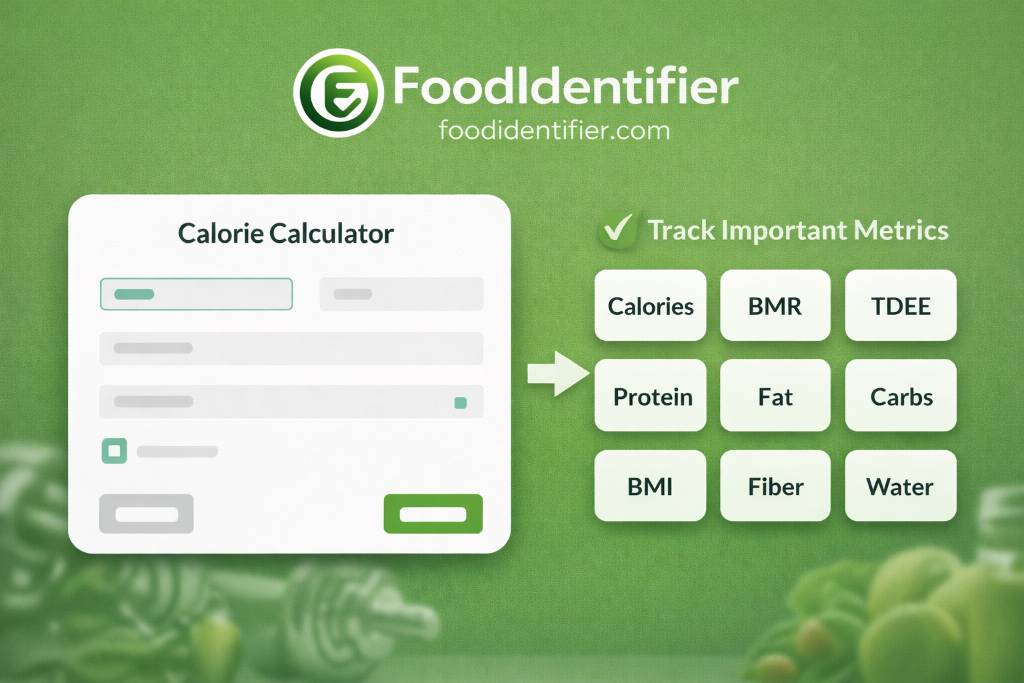
- Go to FoodIdentifier → upload any food photo → get the food name, ingredients, and nutrition in seconds.
- Works on any food: restaurant dishes, homemade meals, packaged foods, exotic cuisines, mystery leftovers.
- No sign up, no app download, no account. 100% free in any browser.
- Also returns calories, protein, carbs, fat, and fiber — use with calorie calculator by photo for full tracking.
- Compared with alternatives: FoodIdentifier is the only tool that identifies food AND gives full macros AND requires no account.
How Image-Based Food Identification Works
When you upload a food photo to FoodIdentifier, the image goes through a multi-step AI pipeline. Understanding this process helps you take better photos and interpret results more accurately.
Step 1: Visual feature extraction
The AI first breaks the image down into visual features: color histograms, edge detection, texture patterns, and spatial relationships between food items. A plate of spaghetti bolognese has specific color combinations (red sauce, pale noodles, brown meat), textures (smooth sauce, stringy noodles), and spatial layout that are distinct from, say, a curry or a stir-fry.
Step 2: Food classification
The extracted features are matched against training data. The system has been trained on a large dataset of labeled food images covering thousands of dishes from cuisines worldwide. The classification step returns not just a food category but a specific dish identification with a confidence level. Higher confidence = more reliable identification.
Step 3: Nutritional mapping
Once the food is identified, its nutritional profile is retrieved from a reference database. The system applies a portion size estimate based on the visual dimensions of the food relative to the plate and any reference objects in the frame, then scales the nutritional values accordingly. This is why including a size reference in your photo (a fork, a standard plate) improves calorie estimate accuracy.
Step 4: Results delivery
Results are returned to the browser in 3–5 seconds. The food name appears prominently, followed by the nutrition card with all macros. You can adjust the portion size using the slider and re-calculate instantly. For more detail, the AI Nutrition Coach can provide personalized recommendations based on your scan history and goals.
Try the Free AI Food Scanner Now
Upload any food image and identify what it is — plus full calories and macros. No account needed.
📷 Identify Food from Image🔎 What Food Is This?How AI identifies your food
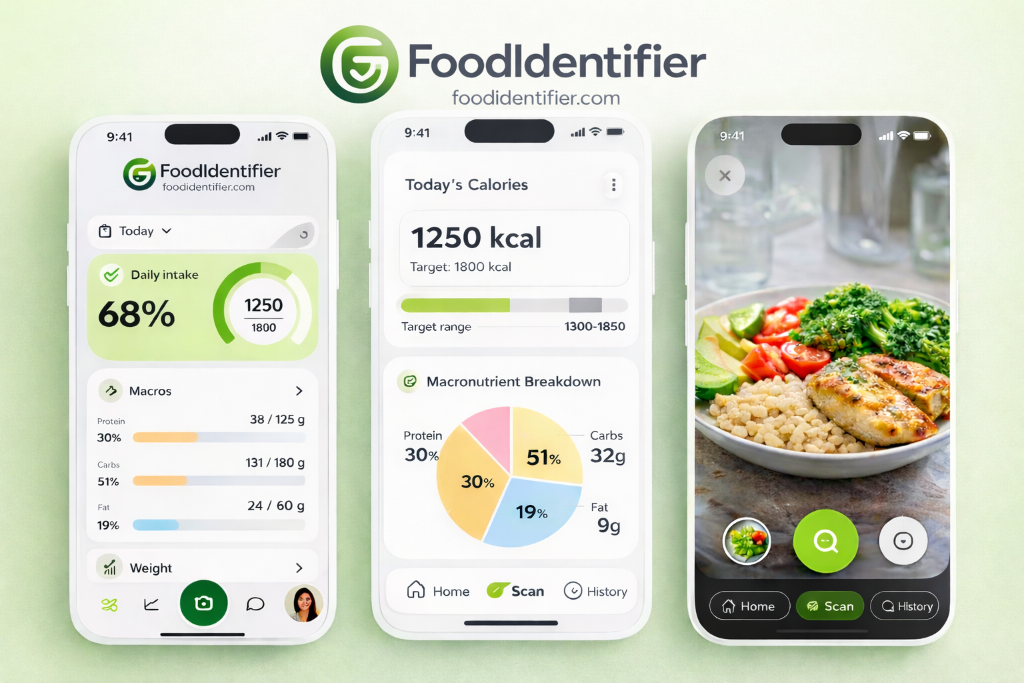
The process is simple and fast: snap a photo of your meal → the AI matches it against the 663-food database to identify each item on the plate → it estimates portion sizes from the visual dimensions → you get full nutrition plus a 1–100 spike score in about 3 seconds. No typing, no searching — one photo does it all.
Photograph your meal from above — the whole plate in frame.
The model identifies each food item against a 663-food database built from USDA and published nutrition data.
Portion sizes are estimated from the visual dimensions of the food relative to the plate.
You get calories, protein, carbs, fat, fiber, sugar and a 1–100 blood-sugar spike score in ~3 seconds.
What it can identify
The AI identifies a wide range of foods from a single photo — no text input required:
- Homemade meals — grain bowls, stir-fries, sheet-pan dinners and casseroles with distinct components.
- Restaurant dishes — plated entrées, fast food, ethnic cuisines and fusion plates. For full menu decoding, use the restaurant decoder.
- Packaged foods — scan the barcode instead of the photo for exact label data with the barcode scanner.
- Fruits and snacks — a banana, handful of nuts, protein bar or cup of yogurt scans in seconds.
- Mixed dishes — component-by-component estimates (chicken, rice and broccoli each identified and scored separately, so the total is honest).
Identify food vs typing it in
Typing every meal into a tracker takes 3–5 minutes of searching, adjusting portions and confirming each item — and most people quit within two weeks. Photographing the plate takes 3 seconds and the diary builds itself. One photo, one result, zero friction.
See the full photo calorie counter guide for a detailed comparison of photo vs manual logging.
Step-by-Step: Upload a Photo and Get Food Identification Results
- 1Open FoodIdentifier in your browser
Visit foodidentifier.com/scan — no app download, no sign up needed. Works on iPhone, Android, tablet, and desktop. - 2Select your input method
Choose Camera (take a live photo), Upload (from your gallery), or Text (if you know the food name but want nutrition data). - 3Frame the food properly
Shoot from directly overhead, fill the frame with the food, ensure good lighting. See photo tips section below. - 4Tap the Analyze button
The AI processes your image using computer vision. Results typically appear in 3–5 seconds. - 5Review the food identification
The identified food name appears at the top. Check the confidence level — higher is more reliable. - 6Explore the nutrition breakdown
See calories, protein, carbs, fat, fiber, and micronutrients. Tap any item for more detail. - 7Adjust portion size
Use the portion slider to scale results to your actual serving. Results recalculate instantly. - 8Next step: track or plan
Use the Calorie Deficit Calculator or TDEE Calculator to see how this meal fits your daily goals.
Identify Ingredients on a Plate from a Single Photo
One of the most useful applications of food recognition AI is breaking down mixed plates into their component ingredients. This matters for allergy checking, macro tracking, and calorie estimation on complex dishes.
When you scan a plate of salmon with roasted vegetables and rice, FoodIdentifier does not just return "salmon meal." It identifies the salmon fillet, the type of vegetables visible (broccoli, cherry tomatoes, zucchini), and the white rice separately — then gives you a combined nutrition total plus per-item breakdown. This component-level identification is critical for accurate macro tracking.
For users tracking specific nutrients — protein for muscle gain, carbs for endurance training, sodium for blood pressure management — the ingredient-level breakdown is far more useful than a single aggregated number. Pair this with the macro calculator to set and track your daily targets.
Identify Restaurant Meals from a Photo
Restaurant meals are the hardest category of food to track nutritionally — hidden oils, oversized portions, and proprietary recipes mean even experienced calorie counters struggle. The picture food identifier approach removes the guesswork.
Photograph your restaurant dish from above before you start eating. The AI identifies the dish category and estimates calories based on typical restaurant portion sizes and preparation methods. For fast food, results tend to be more precise because the visual presentation is highly standardized. For fine dining or fusion cuisine, estimates are less precise but still give a useful ballpark.
For more granular tracking of restaurant meals, the AI calorie calculator guide explains the full approach — including how to adjust portion sliders when a restaurant serves notably larger or smaller portions than average. The Calorie Guess Game is also a great way to train your intuition for restaurant food calorie counts before you go out.
Identify Homemade Meals — The Hardest Category
Homemade food presents the greatest challenge for image-based food identification because it lacks the visual consistency of restaurant or packaged food. A homemade chicken stir-fry can look very different from one cook to the next, yet still contain similar ingredients.
The best approach for homemade meals is a hybrid method: photograph the finished dish from above, then type the dish name in the text field if you know it. The combination of visual and text input gives the AI more data to work with and consistently produces better results than either input alone.
For detailed homemade meal calorie tracking methods, the calories in homemade food guide covers five different approaches including ingredient-by-ingredient logging, recipe calculators, and photo-based estimation — with advice on which method suits which situation.
When cooking from a recipe, you can also scan each ingredient before adding it to the dish, then use the total to calculate per-serving calories. This ingredient-scanning approach is the most precise method for homemade food tracking and works well alongside the food calorie calculator by photo.
Accuracy: What Affects Food Identification Results
Understanding what drives accuracy — and what limits it — helps you use the tool more effectively and interpret results with appropriate confidence.
Best Free Food Identification Tools Compared
Several tools can detect food from a photo, but they differ significantly in scope, accessibility, and what they return. This comparison focuses on tools people commonly use for food identification and nutrition.
Next Step: Get Exact Calories After Identification
🔢 After identifying your food, get precise calorie data:
- Use the Food Calorie Calculator by Photo to get instant calories and macros from your scan.
- Calculate your daily calorie budget with the TDEE Calculator.
- Find your calorie deficit for weight loss with the Calorie Deficit Calculator.
- Read the full AI Calorie Calculator guide for the complete tracking system.
20 Foods You Can Identify from a Photo — Real Examples
To show what identify food from image actually delivers, here are 20 real foods the AI identifies from photos — with the nutrition data it returns alongside each identification. These span the most common categories: fruits, proteins, grains, restaurant dishes, and packaged foods.
Every food above was identified from a single photo with no text input. For the full nutrition database behind these estimates, browse the food calories hub or scan your own meal with the free AI food scanner.
Real-World Use Cases: Who Needs to Identify Food from an Image?
If blood sugar is your main concern, pair identification with the blood sugar food predictor to estimate the glucose impact of any meal before you eat it.
Frequently Asked Questions — Identify Food from Image
❓ How do I identify food from an image online for free?
Go to foodidentifier.com/scan, upload your food image, and click Analyze. The AI identifies the food name, cuisine, ingredients, and full nutrition facts in seconds — no sign up required.
❓ Can AI identify food from a photo?
Yes. Modern computer vision AI can identify food from photos with good accuracy for common dishes. FoodIdentifier uses AI food recognition trained on millions of food images to identify dishes and estimate nutrition from photos.
❓ Is there a food recognition AI that also gives calories?
Yes. FoodIdentifier identifies food from an image AND provides calorie counts, protein, carbs, fat, and fiber — all from a single photo, free with no account.
❓ Can I identify ingredients from a photo?
Yes. FoodIdentifier analyzes the visual components of a food image and lists individual ingredients it identifies in the dish, including sauces, toppings, and garnishes where visible.
❓ What is the best free AI food scanner online?
FoodIdentifier is widely considered the best free AI food scanner online in 2026. It identifies food from any image, returns full nutrition data, requires no sign up, and works in any browser — no app download needed.
❓ Can I identify food from a camera in real time?
Yes. FoodIdentifier supports live camera capture on mobile devices. Open the tool on your phone, tap Camera, point it at your food, and snap a photo — results appear in seconds.
❓ How accurate is food identification from an image?
For common foods photographed in good lighting from above, accuracy is generally high. Complex mixed plates, unusual cuisines, and poor photo conditions reduce accuracy. Adding a text hint alongside your photo improves results.
❓ Can it identify restaurant food from a photo?
Yes. FoodIdentifier identifies restaurant meals, fast food, ethnic cuisines, and plated dishes from photos. Restaurant dishes often have consistent visual presentations that the AI recognizes reliably.
❓ Does the AI food scanner work for homemade food?
Yes, though homemade food with unique presentations may be less accurate than restaurant-style plating. For best results with homemade food, photograph from above in natural light and type the dish name if you know it.
❓ Is there a food identifier from image that does not require an app?
Yes. FoodIdentifier runs entirely in your browser — no app required. It works on iPhones, Android phones, tablets, and desktops. Open it, upload or take a photo, and identify your food instantly.
❓ What happens after I identify the food — can I track calories?
Yes. After identifying your food, you can see the full nutrition breakdown and use the built-in calorie deficit calculator or TDEE calculator to plan your daily intake. The AI Nutrition Coach can also provide personalized advice based on your scan.
❓ Can I detect allergens from a food photo?
FoodIdentifier lists identified ingredients which can help you spot common allergens, but it should not be relied upon as a definitive allergen checker for medical purposes. Always verify allergen content directly with the food manufacturer or restaurant for safety-critical situations.
❓ Can it handle mixed dishes?
Yes. FoodIdentifier identifies mixed dishes component by component — chicken, rice and broccoli are each identified and scored separately, so the total calories and macros are honest rather than a single guess.
Photo calorie counter →❓ Does it work on restaurant plates?
Yes. The AI identifies restaurant meals, fast food and plated entrées from a photo. For full menu decoding, use the restaurant decoder tool.
Restaurant decoder →❓ What about packaged food?
For packaged products, use the barcode scanner instead of the photo scanner. It reads the barcode and pulls the nutrition label directly — no guessing.
Barcode scanner →❓ How accurate is the photo calorie counter?
Photo estimation is excellent for daily awareness and tracking trends, grounded in a 663-food database. For clinical precision, weigh your food on a scale. See the full accuracy guide for details.
Accuracy guide →❓ Is it really free?
Yes. You get one free photo scan per day at foodidentifier.com with no account, no app and no credit card. A Pro plan at $9.99/month adds unlimited scans, history and meal plans.
Pricing →❓ Do I need to download an app?
No. FoodIdentifier runs entirely in your browser on iPhone, Android, desktop or tablet. Add it to your home screen and it works like a native app — no download needed.
Food Identifier app →❓ Are my photos private?
You do not need an account to scan, so there is no profile tied to your images. Photos are processed to return nutrition results and are not shared publicly.
❓ How is it different from MyFitnessPal?
MyFitnessPal requires typing each food and searching a database. FoodIdentifier lets you photograph the meal and get calories and macros in seconds — no typing. See the full comparison.
MyFitnessPal alternative →📚 Related Guides
🔗 Free Tools

Ask Lana
The questions everyone asks
Real answers, like a friend would give them — warm, honest, and always with your next tiny step.
Educational only — not medical advice. Talk to your doctor.
Identify Any Food from a Photo — Free
No sign-up. No app. Upload a food image and instantly know what it is, what is in it, and how many calories it contains.
100% free · No credit card · Works on any device
Disclaimer: Nutritional values are estimates based on AI analysis and USDA FoodData Central reference data. Not a substitute for professional dietary advice. Consult a registered dietitian for clinical nutrition management.